Find the signal.
Fix the problem.
FaultFlow turns every fix your service team makes into the starting point for the next engineer, online or offline.
The 2-minute overview, with captions. The full walkthrough is further down.
The fix already exists. It just isn't where the engineer is.
When a complex instrument fails at a customer site, the answer is often already known. It sits in an old ticket, in a build record, or in one experienced engineer's head. So teams solve the same fault again and again, and every repeat visit costs time, travel and customer patience.
Sources: Aquant 2026 Field Service Benchmark (161 service organisations); Earley Information Science, Applied Materials case study (survey of 600+ field engineers); Waters full-year 2025 results (US$1,188m of US$3,165m).
One fix, shared with the whole team.
The five steps from the film, shown here with the demonstration data.
Connects to what you already run
Tickets come in from your service desk, such as Jira or Zoho Desk. Build records come from your ERP, such as NetSuite, and service pages from Confluence. Engineers can also log a ticket directly, in their own words.
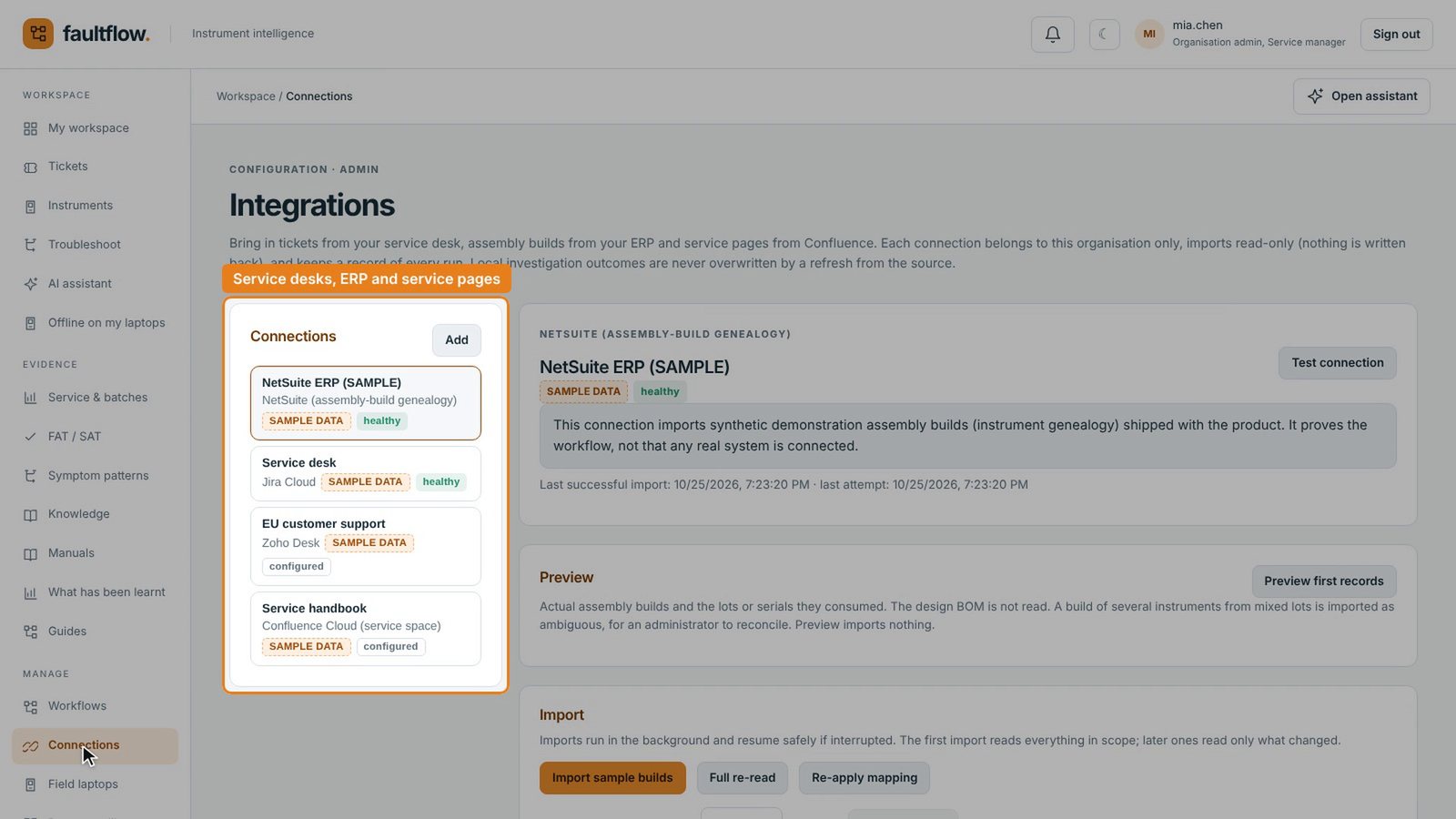
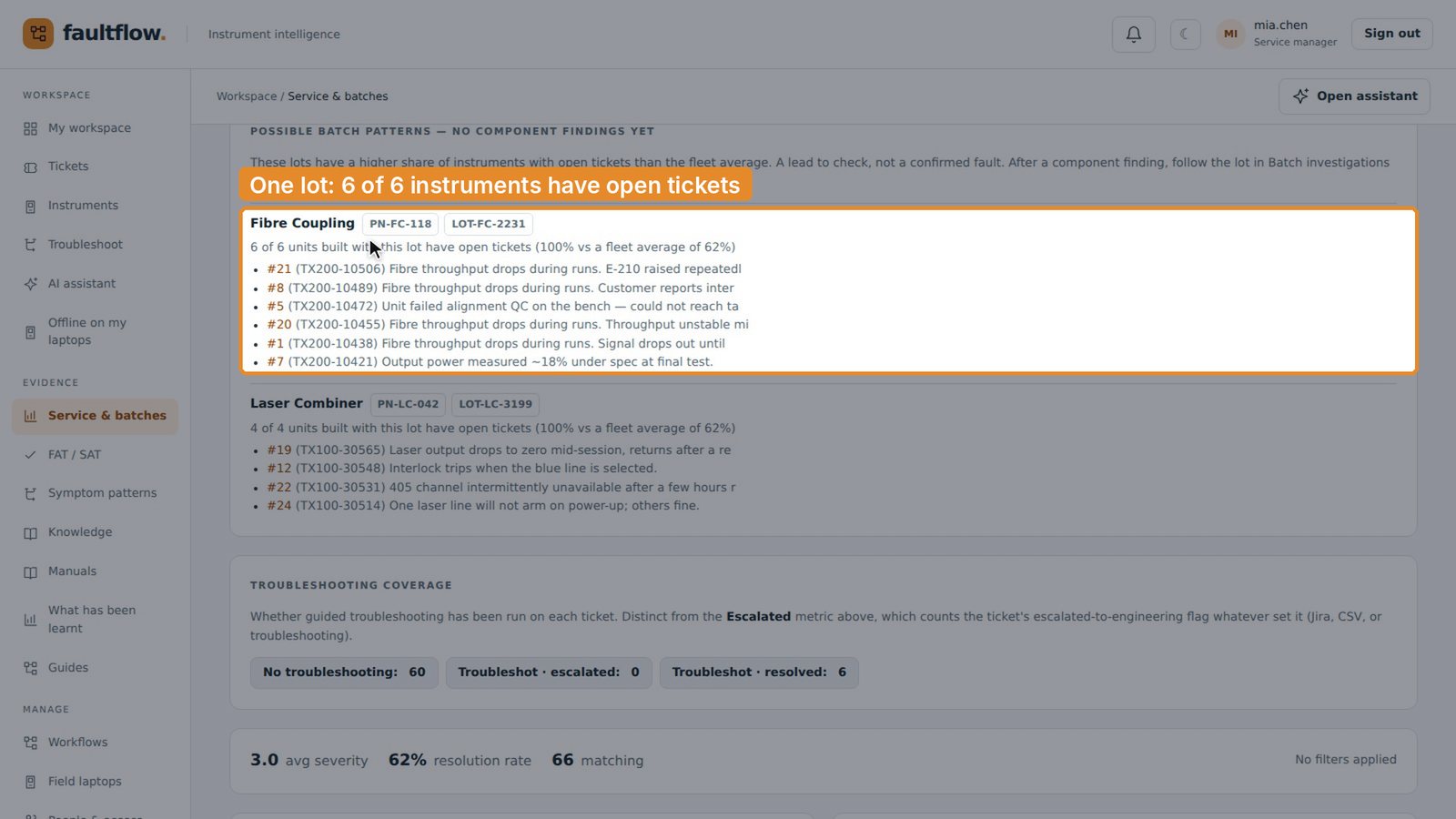
Finds the pattern across the fleet
Every ticket is joined to its instrument's build record, so patterns show up on their own. Here, every instrument built with one fibre coupling lot has an open ticket. A strong lead to test, found without anyone having to remember it.
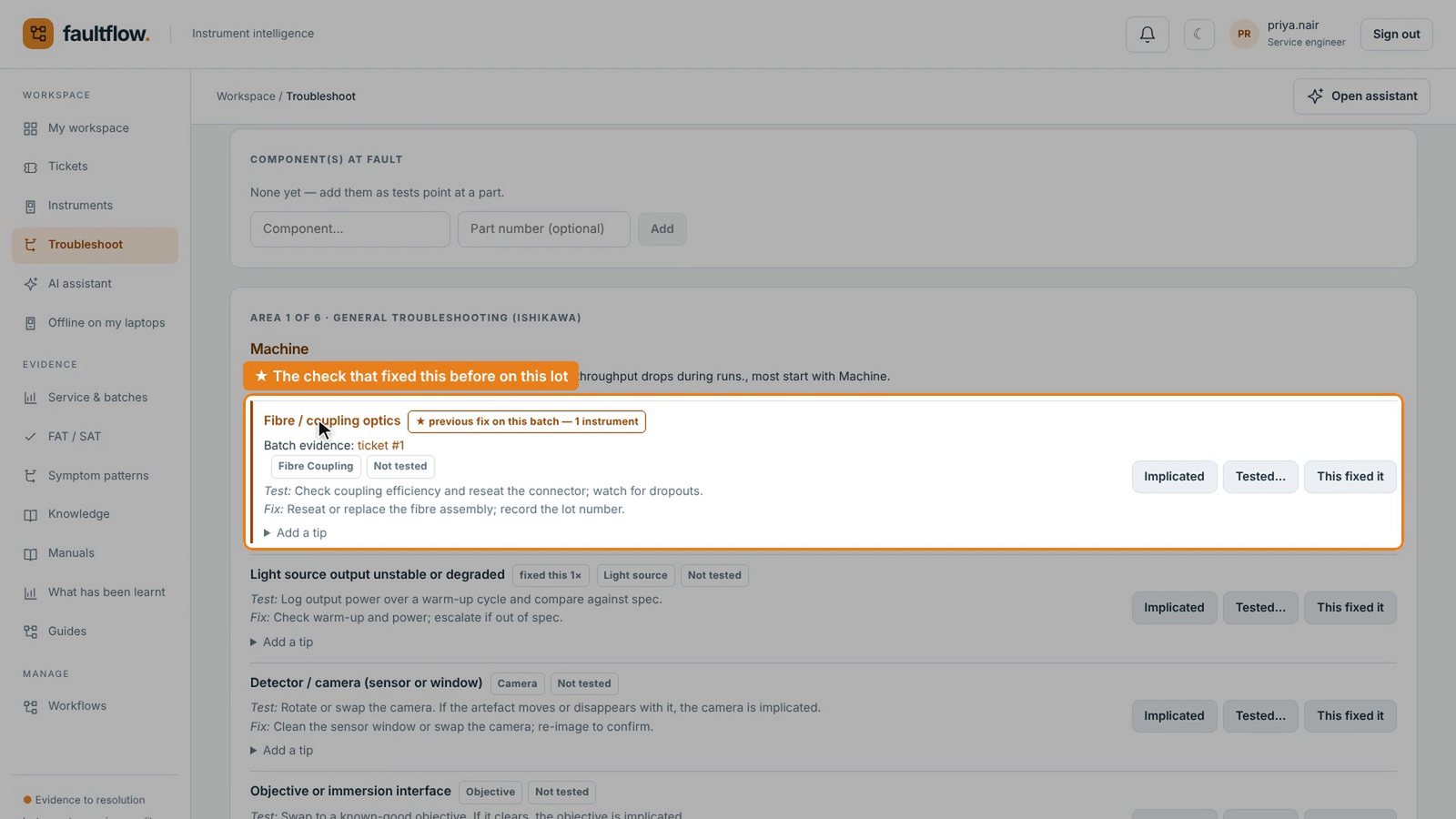
Puts the most likely fix first
When an engineer starts troubleshooting, FaultFlow puts the check that fixed this problem before at the top. It's ranked by what actually fixed it, not guesswork, and the full fishbone diagram is always one click away.
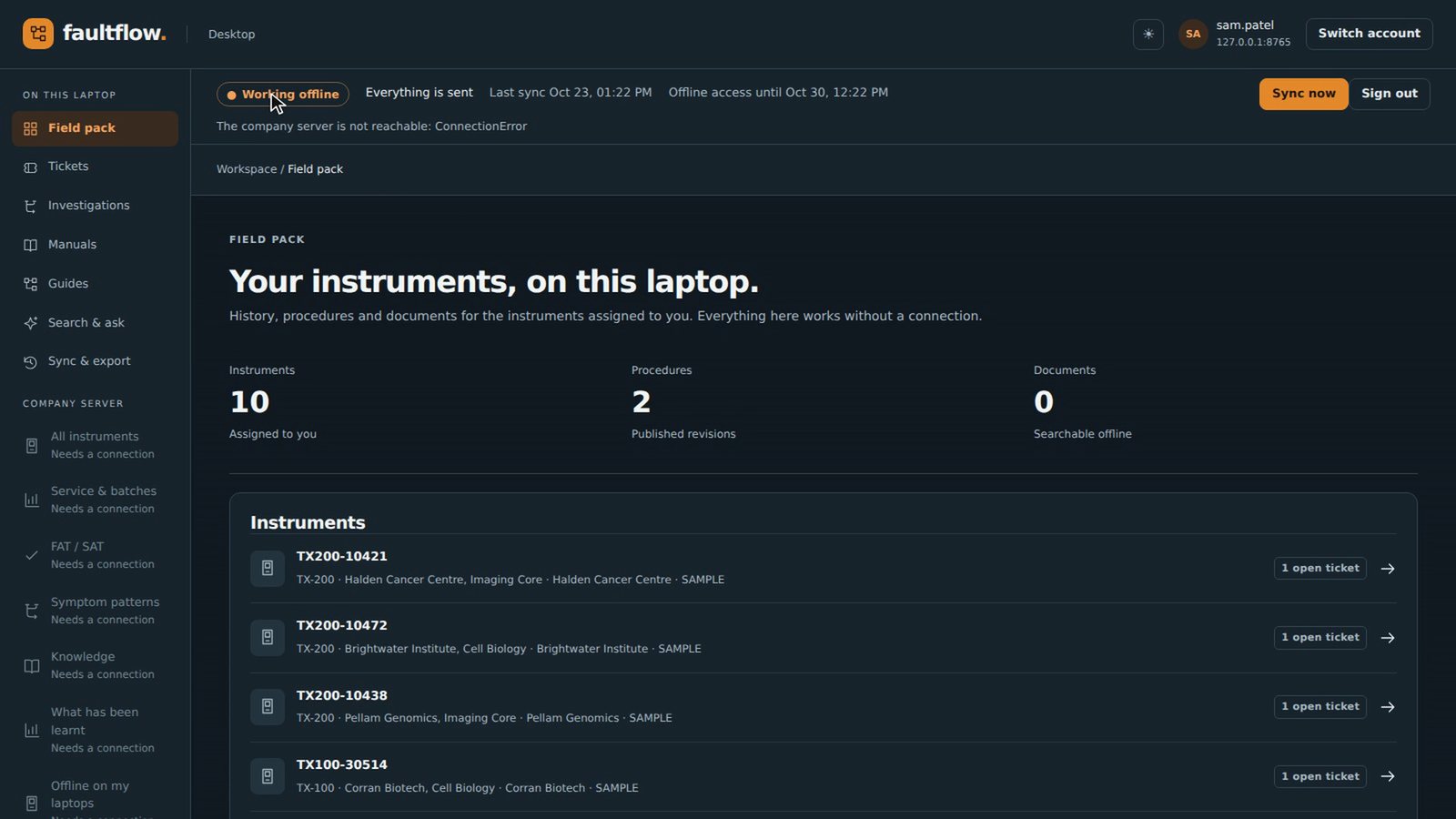
Works offline, at the customer site
The Windows app downloads everything an engineer needs before the visit. When the connection drops, it keeps working, with a local AI model reading the manuals on the laptop. Results sync back when it reconnects.
Every fix becomes the guide
Each investigation is recorded as evidence. From that evidence, a manager creates a guide with the checks in the order that works best and the numbers behind each one. AI helps with the wording; the facts come from real investigations.
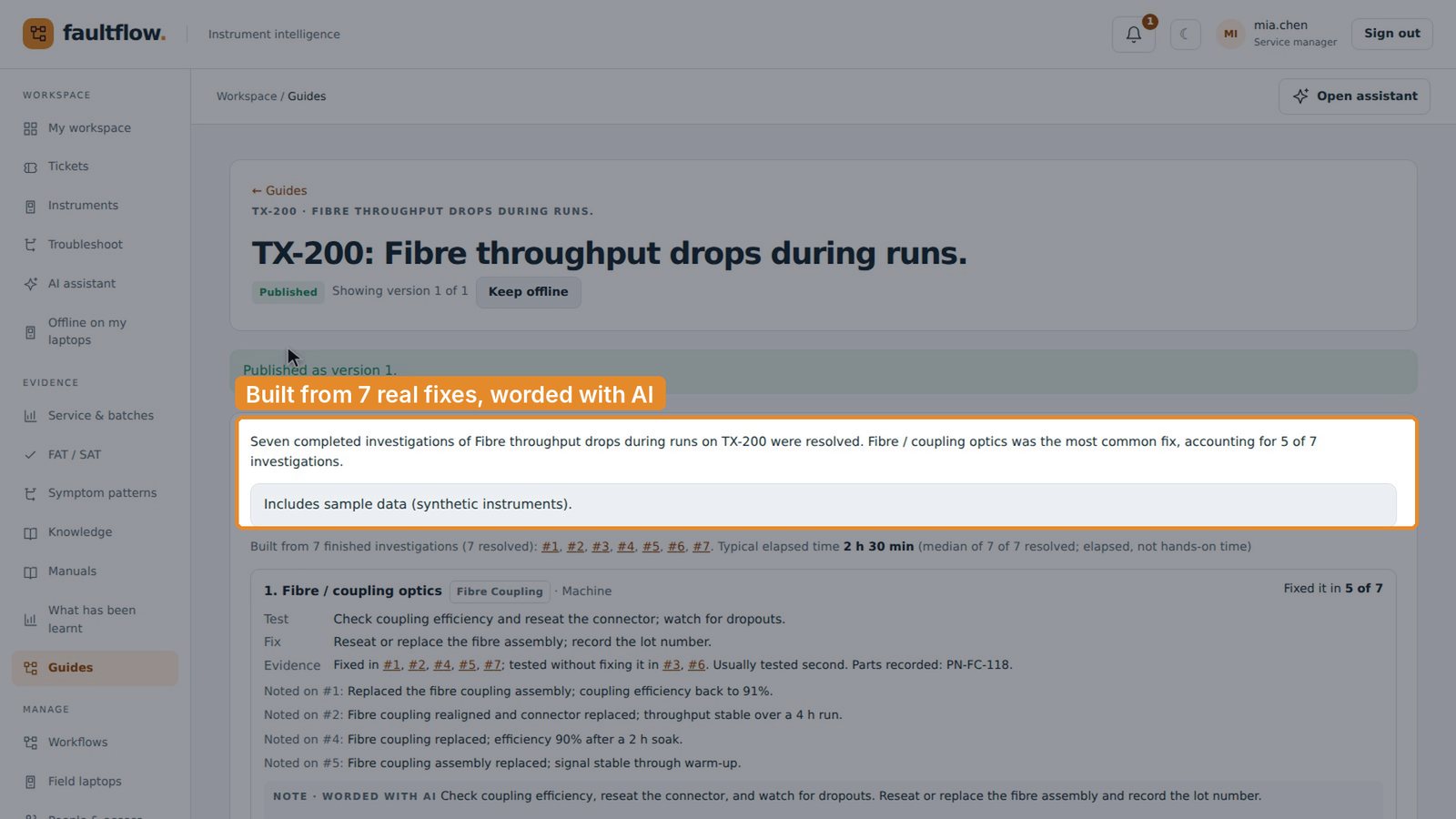
AI that helps, with your experts in charge.
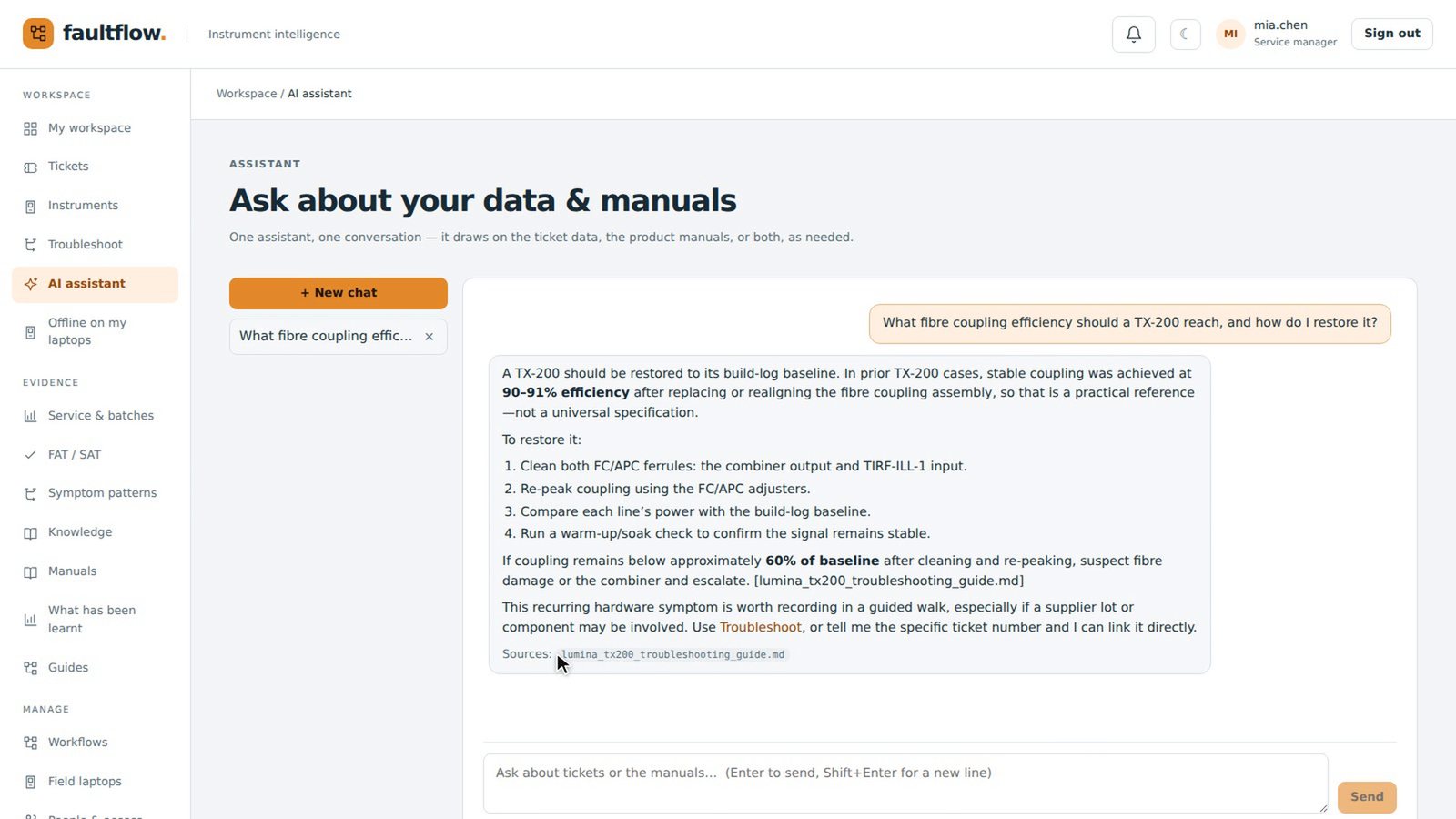
Answers that show their sources
The assistant answers from your manuals and past cases, says which is which, and names its source so the engineer can check it.
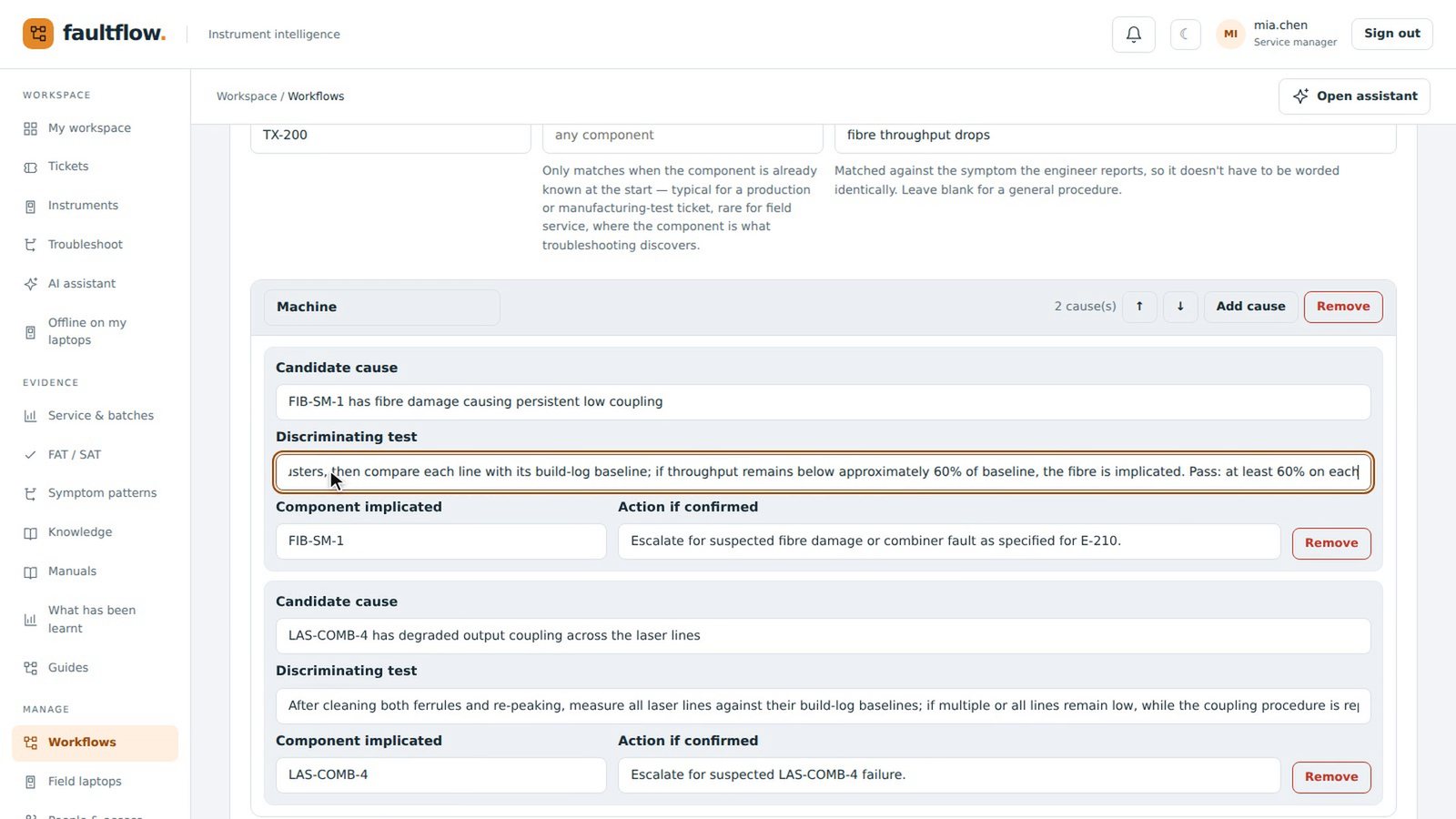
Procedures your experts own
AI can draft a troubleshooting procedure from your manuals. Your experts review every step, add what they've learned, and decide when it's ready.
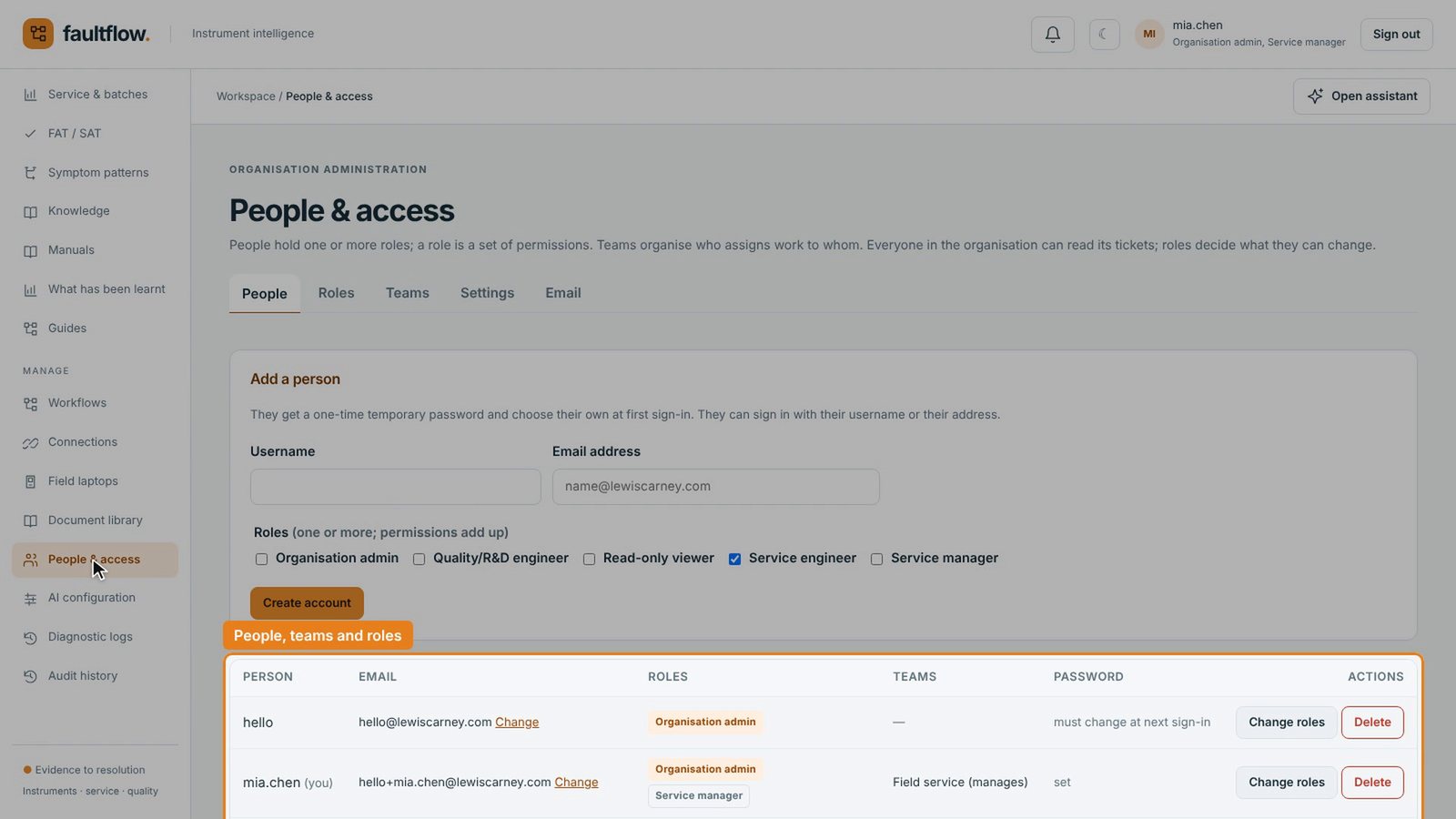
Your data stays yours
Each organisation has its own data, people and AI settings. It can run on your own infrastructure, and the field app works where the network doesn't.
And what a team needs day to day
- A home page with each person's next steps
- A dashboard of tickets and trends across the fleet
- People, teams and roles, so each person sees only what they should
- Comments, questions and email notifications on every ticket
- Factory and site acceptance results, side by side
- An audit history of every change
- Field laptops managed from one place
- A view of what has been learnt for each problem
Eleven minutes, start to finish.
Follow one fault through a service team: Mia spots the pattern, Sam fixes it offline at the customer site, and Priya gets the fix first the following week. Jump to any chapter.
With captions. Every company, person and record shown is fictional demonstration data.
- 0:00Introduction
- 0:19Mia · Connecting your systems
- 0:46Mia · Logging a ticket
- 1:19Mia · A familiar fault, and its history
- 1:54Mia · The pattern across the fleet
- 2:41Mia · AI that shows its sources
- 3:08Mia · A procedure drafted by AI, checked by her
- 4:04Mia · Asking Sam
- 4:37Sam · Offline at the customer site
- 5:23Sam · AI on the laptop
- 6:03Sam · Finding the fault
- 6:57Mia · From fix to guide
- 8:19Priya · The next engineer
- 9:47Everything else a team needs
- 10:50Summary
Read the transcript
Introduction
Field service teams often fix the same fault again and again, one ticket at a time. This film shows how FaultFlow turns one engineer's fix into the whole team's starting point, online and offline. Everything you'll see uses demo data.
Mia · Connecting your systems
Tickets reach FaultFlow from the service desk you already use, such as Jira or Zoho Desk. Build records come in from your ERP, such as NetSuite.
Mia · Logging a ticket
Your team can also log a ticket directly in FaultFlow. They pick the instrument and describe what's wrong in their own words. The ticket is raised straight away, ready to assign.
Mia · A familiar fault, and its history
Mia runs the service team, and a familiar fault has just come in. A customer's microscope keeps losing light through its fibre during runs. She opens the instrument's full history: every part and batch it was built with, and its factory test results. Its fibre coupling came from lot 2231.
Mia · The pattern across the fleet
Because FaultFlow links every ticket to how its instrument was built, a pattern stands out. All six instruments built with lot 2231 have an open ticket, against sixty-two percent across the fleet. Between the factory and the customer site, their coupling efficiency dropped by two to four points. And in six earlier investigations of this problem, the fibre coupling was the fix four times. That's a strong lead to test, not a diagnosis.
Mia · AI that shows its sources
Mia asks the AI assistant what coupling efficiency the instrument should reach, and how to restore it. The answer draws on the troubleshooting guide and on past cases, and makes clear which is which. It names its source, so she can check it.
Mia · A procedure drafted by AI, checked by her
She then asks the AI to draft a troubleshooting procedure from the manuals. It lists the likely causes, with a test to confirm or rule out each one. Mia checks every step, and adds the pass mark from the build manual. She adds a check her team learned the hard way. Then she saves it for tickets that already point to the fibre coupling. Teams can also build their own procedures from scratch.
Mia · Asking Sam
Then she asks Sam, who's visiting the customer tomorrow, to start with the fibre coupling. The question stays open until he answers. Sam gets the request by email too. It shows who's asking, what they need, and which instrument it's about.
Sam · Offline at the customer site
Sam uses the FaultFlow app on his Windows laptop. Before he left, it downloaded everything for the instruments he's looking after. At the customer site, the connection drops. The app shows it's working offline. Offline, he still has everything he needs: the instrument and its ticket. Mia's question is there too, and he answers it on the spot.
Sam · AI on the laptop
He asks the laptop's own AI assistant the same kind of question. It runs entirely on the laptop, and reads only the manuals stored there. It names its sources. He opens the manual to check the figure for himself.
Sam · Finding the fault
He starts troubleshooting with the same fishbone diagram as the web app. He tests the light source first. He attaches the power reading. It isn't the cause, so he rules it out. Then he checks the fibre coupling, and that's the fault. Everything is saved on the laptop, ready to send when he's back online. Back in the van, the laptop reconnects and sends everything.
Mia · From fix to guide
Back at the office, Mia sees the ticket resolved, with Sam's answer, the faulty part and the evidence. And the pattern is now a confirmed finding: lot 2231 has a real fault. The other instruments built with it are flagged, along with their open tickets. Sam's fix now counts too: the fibre coupling has fixed this problem five times out of seven. From that evidence, Mia creates a guide, with the checks in the order that works best and the numbers behind each one. AI tidies up the wording. She checks it against the sources before publishing. The AI helps with the words. The facts come from real investigations.
Priya · The next engineer
The following week, Priya gets a call about another instrument from the same lot. She logs it in her own words: the signal fades partway through a run. She doesn't have to match anyone else's wording. FaultFlow recognises it as the same problem, and opens the procedure Mia wrote for it first. The guide Mia published is right there too, with the checks in the order that works. The general fishbone is still one click away. Its star marks the check that fixed this before on this lot: the fibre coupling. Priya tests it on her own instrument, and it's the fix. And her fix makes the next suggestion stronger.
Everything else a team needs
Around all of this is what a team needs day to day. Everyone gets a home page with their next steps. Managers get a dashboard of tickets and trends across the fleet. Admins manage people, teams and roles, so each person sees and changes only what they should. Every change is recorded in an audit log. And admins can see every laptop set up to work offline.
Summary
Patterns found in the data, not in someone's memory. Fixes recorded on site, with or without a connection. Knowledge that grows with every ticket. That's FaultFlow. This is a first look at FaultFlow. If you lead service, engineering or operations for complex instruments, let's talk about what this could look like for your team.
The FaultFlow product guide
What FaultFlow does for engineers, managers and administrators, told through the same story, in 12 pages.
I've seen this problem up close.
I spent seven years building and scaling scientific instruments, first leading Sustaining Engineering and then R&D as Vice President. Field issues came back to my teams, and I saw how much service knowledge lives in a few people's heads, and how often the same fault gets solved twice.
FaultFlow is my answer to that. More about me.
Let's talk about what this could look like for your team.
I'm working with a small number of instrument companies first. If you lead service, engineering or operations for complex instruments, I'd like to hear how your team handles a recurring fault today.